
Stamping simulation software
Simcenter Inspire Form (formerly Altair Inspire Form): sheet metal stamping from feasibility to tryout
Check whether a sheet metal part can be stamped, how much it thins, where it wrinkles and what blank it needs before you design the die. Then validate the full process with a multi-stage virtual tryout, trimming and springback included. We distribute it and roll it out with training in Spanish, for plants in Mexico.
Feasibility
Know whether the part can be stamped before you design the die
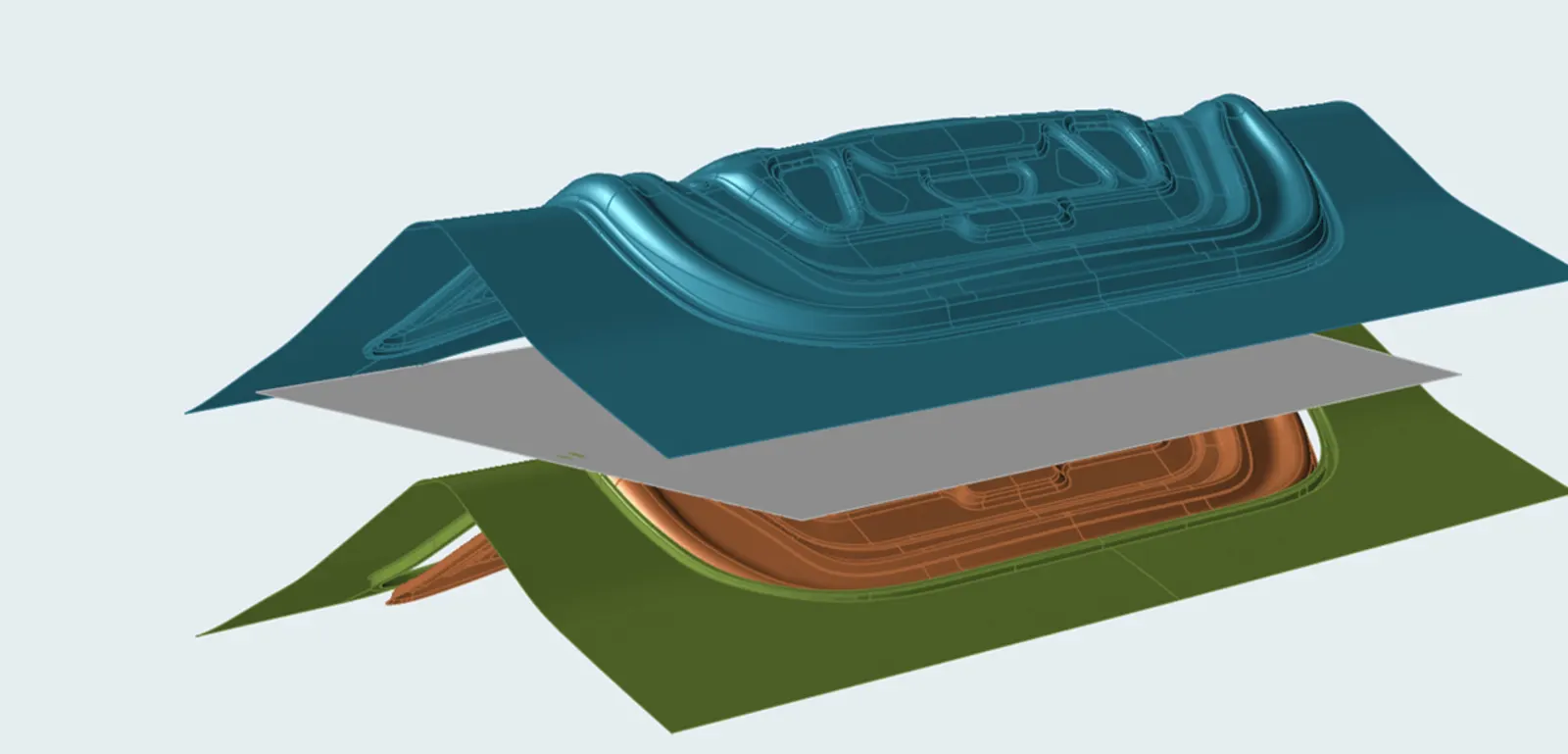
The feasibility module works on the part geometry: it extracts the midsurface, fills holes and cutouts, proposes the stamping direction and applies the restraining forces of the binder and drawbeads. Pick the material from the library of standard steel and aluminum grades, or add your own from test data.
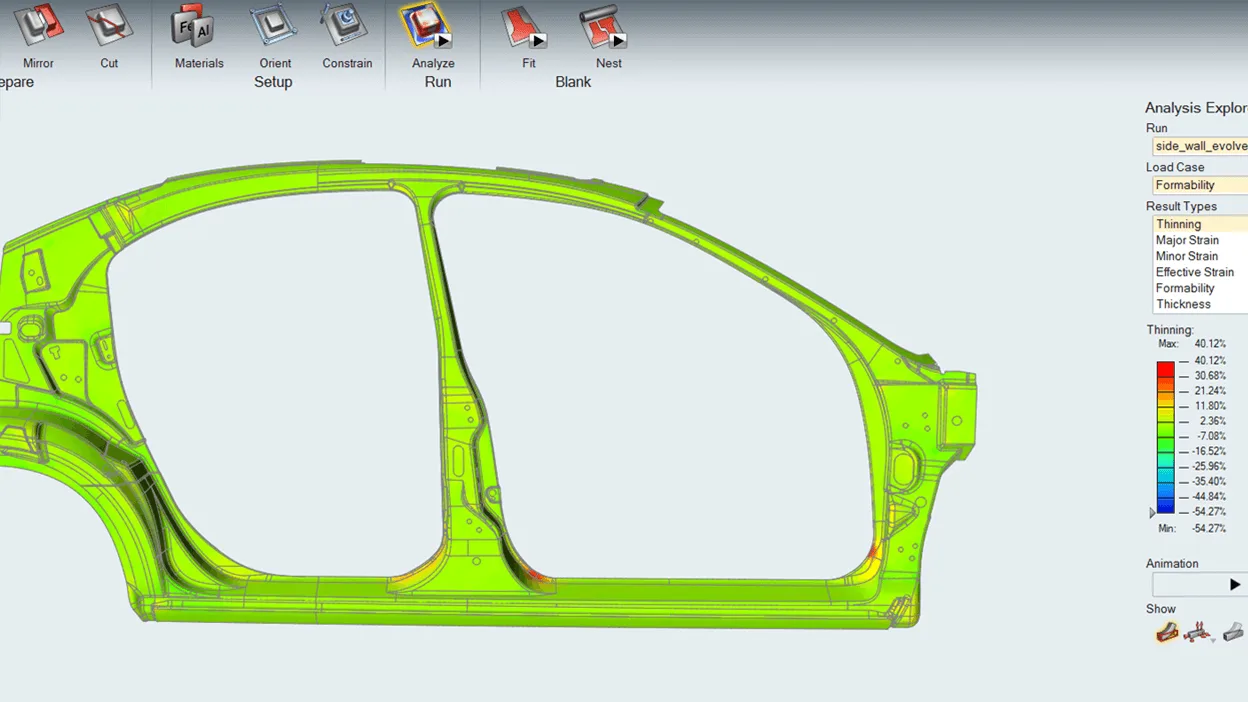
Simcenter Inspire Form (formerly Altair Inspire Form) analyzes the part in seconds and returns the thinning map, the areas at risk of splits, wrinkles or loose metal, and the flat blank. Once the design is stampable, the tryout module takes the analysis to the real process: multiple stages, trimming and springback.
Use cases
What you can solve with it
On a stamping line, the questions that cost the most time and material tend to come up in this order:
Feasibility and thinning
Starting from the part geometry, the simulation shows you where the sheet thins and where splits, wrinkles or loose metal appear, while a radius or a draw depth can still be changed.
Blank development and nesting
At the end of the analysis you get the flat blank the part needs, and blank nesting proposes how to lay it out on the coil for progressive or transfer dies, making better use of material.
Multi-stage virtual tryout
Set up the operations of your process—draw, trim and the stages that follow—and review material flow at each one before the die ever goes to the press.
Springback and die compensation
Calculate how much the part springs back against the reference shape, compensate the tool surfaces and run the tryout again with the corrected die.
Who it is for
- Product engineering teams designing sheet metal parts who want to know early whether they can be stamped.
- Process engineers and die shops preparing progressive or transfer dies.
- Stampers who need to estimate the blank and material utilization of a new part.
How we roll it out
We deliver the license with start-up and an initial training session in Spanish done on a part of yours, not on a textbook example. We start with feasibility, which is where the first answers come from, and move on to tryout once your team reads the results with confidence.
Take a look at the consulting and the training that go with the software.
Casting in your plant too? There is a tool for that
Inspire Form covers sheet metal. If you also die cast or pour metal and want to know why parts come out porous or why a rib will not fill, the tool is Simcenter Inspire Cast, our flagship product.
Or go back to the software catalog to see the rest of the tools.