

Structural simulation software
Simcenter Simsolid: meshless structural validation of dies
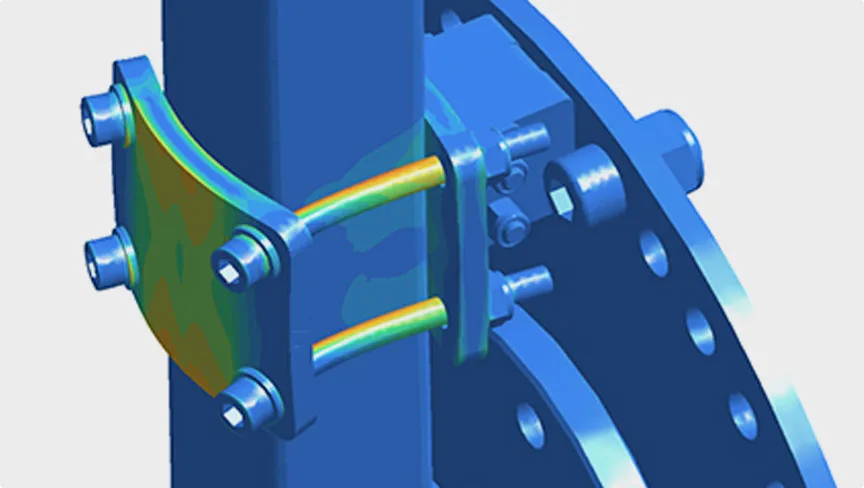
Load the die assembly exactly as it comes out of CAD—with its bolting, its plates and its small radii—and let Simcenter Simsolid (formerly Altair SimSolid) give you the stress and deflection map in minutes. With no meshing, without stripping detail from the model and without needing a finite element specialist.
No meshing
The problem was never the calculation: it was preparing the model
In conventional structural analysis, the slow part is not the solver. It is cleaning up the geometry: deleting radii, closing holes, replacing bolts with boundary conditions and generating a mesh that converges. A complete die can take days in that preparation, and that is why very often it simply never gets analyzed.
Simsolid works directly on the original CAD geometry, with no meshing and no simplification, and identifies the contacts between the parts of the assembly by itself. The result is that reviewing the structure of a tool stops being a project and becomes an afternoon's task.
Use cases
What you can solve with it
In a high pressure die casting (HPDC) plant, the structural questions that move the most money are usually the same ones:
Die opening under pressure
Knowing how much the parting line separates at the injection pressure you are going to run explains flash that is otherwise chased with clamping force and hours of grinding.
Sizing of plates and guide pillars
Checking whether the die base is overbuilt or tight on material before buying the steel, and seeing what happens if you change a thickness or move a pillar.
Bolting and contacts in the assembly
The assembly is analyzed complete, with the contacts between plates and the bolts where they actually are, without anyone having to decide by hand what touches what.
Comparing alternatives in the same session
Since each run is resolved in minutes, you can try three or four variants of a component and keep the one that best balances weight, stiffness and cost.
Who it is for
- Die and tool shops that design and want to deliver their work already validated.
- Plant engineering redesigning a die base or reinforcing one that has already given trouble.
- Mechanical design teams that today leave large assemblies unanalyzed for lack of time.
How we roll it out
We deliver the license with start-up and an initial training session done on an assembly of yours, not on a textbook example. If nobody on your team has ever analyzed a structure, we start there: the tool is learned quickly, the judgment is something we walk you through.
Take a look at the consulting and the training that go with the software.
If your problem is defects on the part, start somewhere else
Simsolid tells you whether the die holds. To find out why parts come out porous, where the air gets trapped or why a rib will not fill, the tool is Simcenter Inspire Cast, our flagship product. Most of our clients start there and add Simsolid later.
See also Altair One to license several applications at once, or go back to the software catalog.