Siemens Digital Industries Software partner
Simulation software for high pressure die casting
Before machining the steel, mounting the die and running the first shot, you can see on the computer how your part is going to fill and solidify. We distribute and roll out the Siemens simulation software in casting plants all over Mexico: licensing, start-up and training in Spanish.
The catalog
The tools we distribute
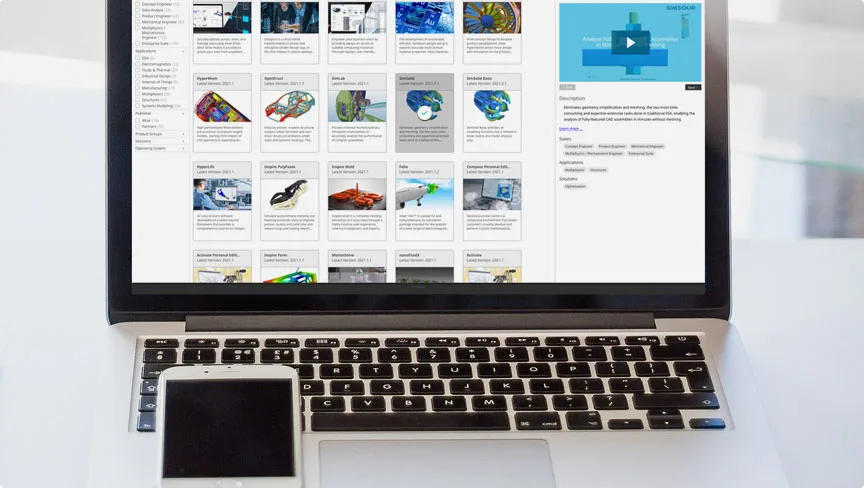
We distribute the whole Simcenter family, from die casting to plastic molding, stamping or metal extrusion, with start-up and training in Spanish. And Altair One to license it.
-
Filling and solidification of the part
Simcenter Inspire Cast
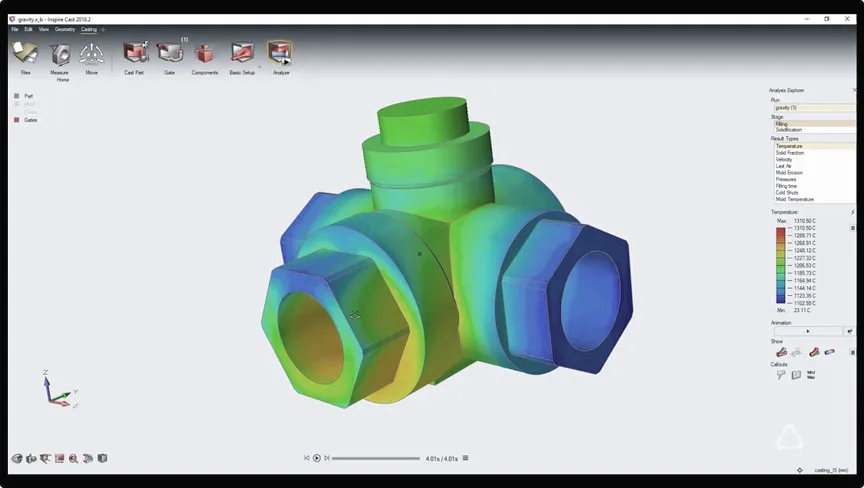
The heart of the catalog. Formerly Altair Inspire Cast, it reproduces how the metal enters the cavity, where the air escapes and in what order the part solidifies, so you correct the filling system and the shot parameters before machining the steel.
- Anticipates porosity, trapped air, cold shuts and short shots
- Templates by process: high pressure, low pressure, gravity, tilt pour and investment casting
- It is run by the process engineer, not by a simulation specialist
-
Strength of the die and the assembly
Simcenter Simsolid
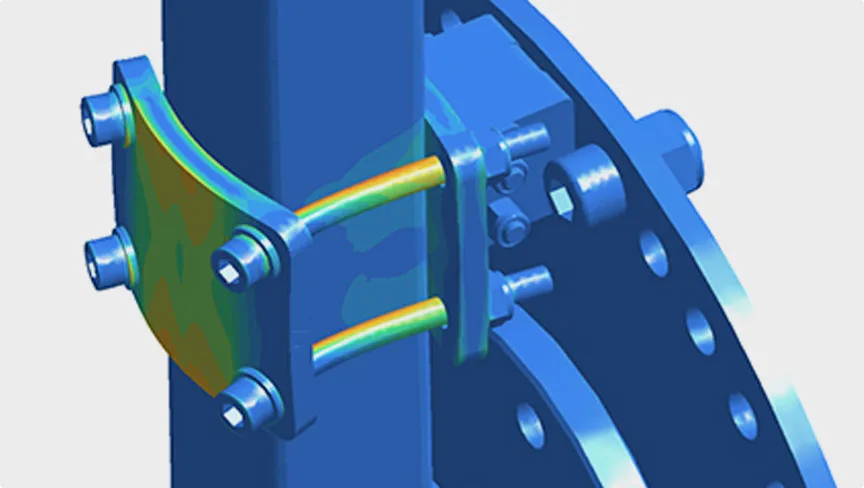
Formerly Altair SimSolid: structural analysis straight on the CAD geometry, with no meshing and no stripping detail from the model. It tells you how much a die opens under injection pressure or whether a plate is overbuilt.
- Loads the complete assembly, with bolts and small radii
- Detects the contacts between parts automatically
- Compares design alternatives in the same session
-
Topology optimization of the part
Simcenter Inspire
Simcenter Inspire (formerly Altair Inspire) brings modeling, structural analysis and topology optimization into one CAD-like environment. You define the design space, the loads and the supports, and it shows where material is needed and where it is not, with manufacturing in mind.
- Lightweights brackets and housings by removing material that does no work
- Shape controls: symmetry, minimum thickness and draw direction
- Validates the optimized shape in the same environment before production
-
Polyurethane foaming in the mold
Simcenter Inspire Polyfoam
Simcenter Inspire Polyfoam (formerly Altair Inspire PolyFoam) reproduces how polyurethane foam is injected, rises, cures and cools inside the mold, so you find air traps or porosity before the mold is built. It covers flexible, semi-rigid and rigid foam.
- Shows where air gets trapped and where to place the vents
- Compares nozzles, pour paths and flow rate for each pour
- Several foams in one mold, as in seats
-
Plastic injection molding
Simcenter Inspire Mold
Simcenter Inspire Mold (formerly Altair Inspire Mold) loads the part from CAD and shows how it fills, packs, cools and warps before the mold is built, while fixing air traps, sink marks or warpage is still a file change.
- Places the gates for complete, balanced filling
- Flags sink marks and shrinkage in thick sections
- Builds sprues, runners, cooling and hot runners in a few clicks
-
Sheet metal stamping and springback
Simcenter Inspire Form
Simcenter Inspire Form (formerly Altair Inspire Form) checks whether a sheet metal part can be stamped, how much it thins, where it wrinkles and what blank it needs before you design the die. Then it validates the full process with a multi-stage virtual tryout.
- Feasibility and thinning from the part geometry
- Blank development and nesting on the coil
- Springback and die compensation, trimming included
-
Flow and deflection of the die
Simcenter Inspire Extrude Metal
Simcenter Inspire Extrude Metal (formerly Altair Inspire Extrude Metal) shows how the metal flows through the die, how hot the profile runs and how much the tooling deflects, straight from CAD and without manual meshing, before the die is cut.
- Catches profile defects before the die is cut
- Tunes bearing lengths to balance the flow
- Calculates tool deflection and stresses
-
Licensing and cloud access
Altair One
Not a solver itself, but the way to license and run all the others: one shared pool of units and access from any computer, with nothing to install on each workstation.
- The whole application catalog available under the same license
- Access from any computer, useful if you have several plants
- It grows or adjusts without renegotiating the contract from scratch
Why simulate
Simulating is cheaper than correcting
A die corrected on screen costs engineering hours. The same die corrected in the tool shop costs steel, weeks of calendar time and a machine standing still. That is why simulation is not a luxury of the engineering office: it is the cheapest way to find out that the fill will not complete or that the porosity is going to land exactly where a sealing surface has to be machined later.
Fewer trials on the machine
You reach start-up with the filling system already discussed and a reasonable parameter window, instead of hunting for it shot after shot.
Less recurring scrap
When a defect repeats part after part it is almost never the operator: it is in the filling design or in the heat extraction. The simulation points to it.
Decisions backed by evidence
Discussing a die with filling and solidification images on the table changes the conversation with the customer and with the tool shop.
Before quoting
Not sure which one you need?
You do not have to decide it on your own. Tell us the problem—a part with porosity, a new die you want to validate, tooling that opens too much—and we will tell you which tool solves it, whether you need it in-house or whether it suits you better that we do it as a service. If that conversation ends with you not needing to buy software, we will tell you that too.
If you would rather start with the problem and not with the license, take a look at our process consulting or the training programs for your team.
Frequently asked questions
What is high pressure die casting (HPDC) simulation?
It means reproducing on the computer the filling and solidification of a part inside its die before the tooling is built. The software calculates where the metal enters, at what velocity, where air stays trapped, how it loses temperature and which areas solidify last. With that information you correct sprue, runners, vents and shot parameters on the CAD model, when the change costs engineering hours and not weeks of tool shop and steel.
How much does the Siemens simulation software cost?
There is no public price list. The cost depends on which applications you need, how many people are going to use them and which licensing scheme you choose (local license or cloud units with Altair One). We put the quote together with that information: write to us with the size of your team and the type of parts you make, and we will prepare it along with a demo so you see the software working on a case of your own.
Can it be tried before buying?
Yes. The usual route is to start with a demo of about 45 minutes on a real part from your plant, so you see what information the simulation gives you in your specific case. From there we arrange an evaluation with a temporary license, so your team tries it with their own models before taking the decision. Write to us and we will coordinate it.
Does it work for thin-walled components?
Yes, and that is where it contributes the most. In thin sections the metal loses temperature very fast and the difference between a complete fill and a cold shut is decided in thousandths of a second. The simulation lets you see whether the cavity manages to fill at the planned plunger velocity and temperature, and try changes to the gate, the wall thickness or the venting before machining the die.
Try it with a part of your own
The fastest way to know whether any of these tools is useful to you is to watch it work on a case from your plant: a part with porosity, a fill that will not complete or a die you want to validate before machining. In the session we show you what the simulation reveals and what decision you could have taken before cutting the steel. With no commitment to buy.