
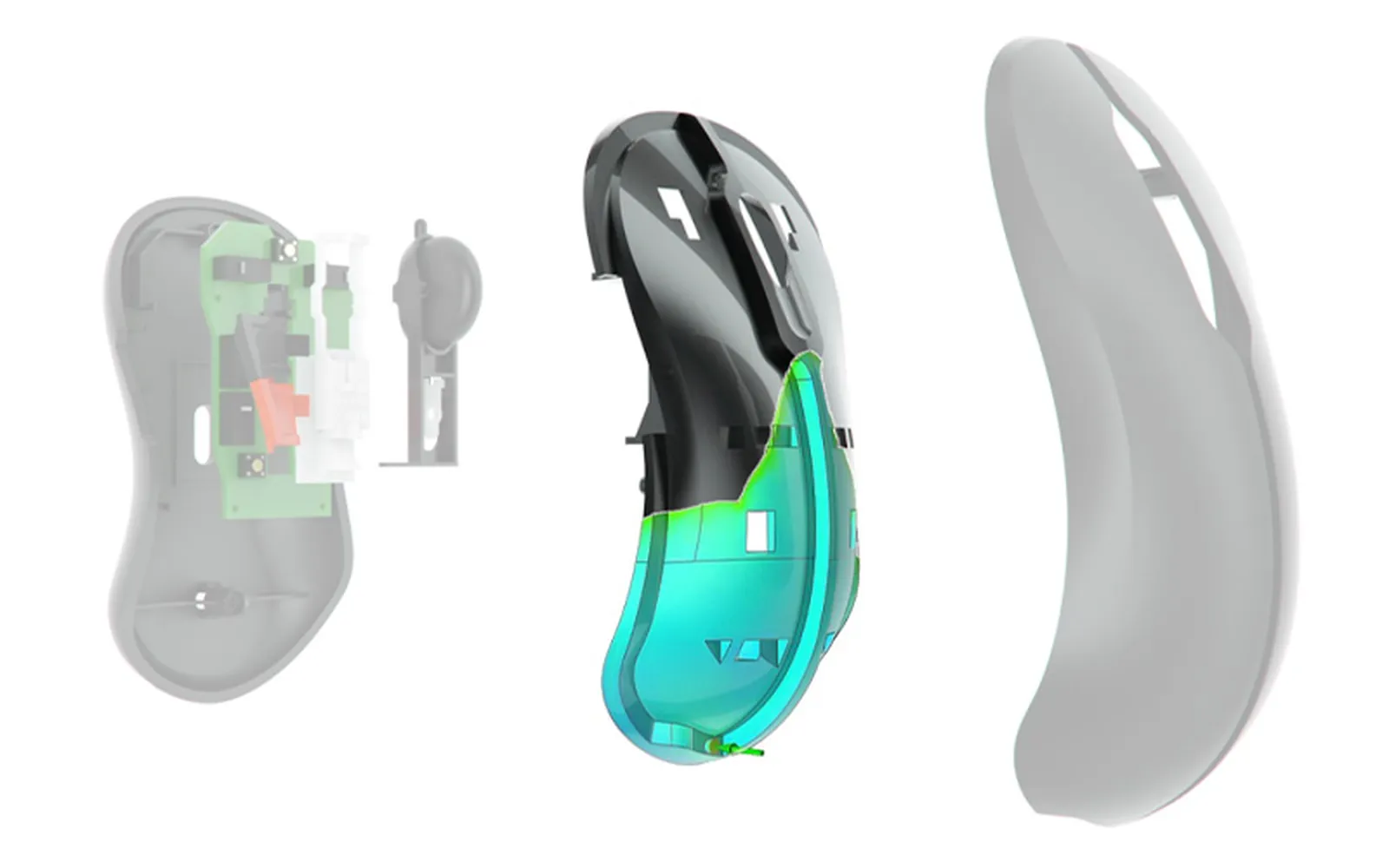
Injection molding simulation software
Simcenter Inspire Mold (formerly Altair Inspire Mold): plastic injection molding with no surprises at the mold
Load the part from CAD, set up cavities, runners and cooling in a few clicks and see how it fills, packs, cools and warps before the mold is built. Air traps, sink marks, weld lines and warpage show up while fixing them is still a file change. We distribute it and set it up with training in Spanish for plants in Mexico.
Design for manufacturing
Mold problems show up before you cut steel
A sink mark or warpage that first appears at mold tryout gets paid for in tool rework and weeks on the schedule. Simcenter Inspire Mold (formerly Altair Inspire Mold) moves that check into design: you import the geometry, define the feed system, set up the mold with its cooling and venting, enter the process parameters and run the analysis, in five guided steps.
A quick analysis gives you a first read on filling and sink marks; the detailed analysis covers filling, packing, cooling and warpage, including fiber orientation for reinforced materials. Materials come from Simcenter Material Data Center, which now includes SABIC polymers, and results export to PPT or PDF reports.
Use cases
What you can solve with it
On an injection-molded plastic part, the decisions that cost the most to change once the mold is built are usually these:
Where to place the gates
Fill time, confidence of fill and gate contribution tell you whether the part fills completely and in balance, and where weld lines and air traps are going to form.
Sink marks and shrinkage during packing
Volumetric shrinkage and the sink mark index point to the thick sections and abrupt wall-thickness changes that will mark the surface, while they can still be fixed in the design.
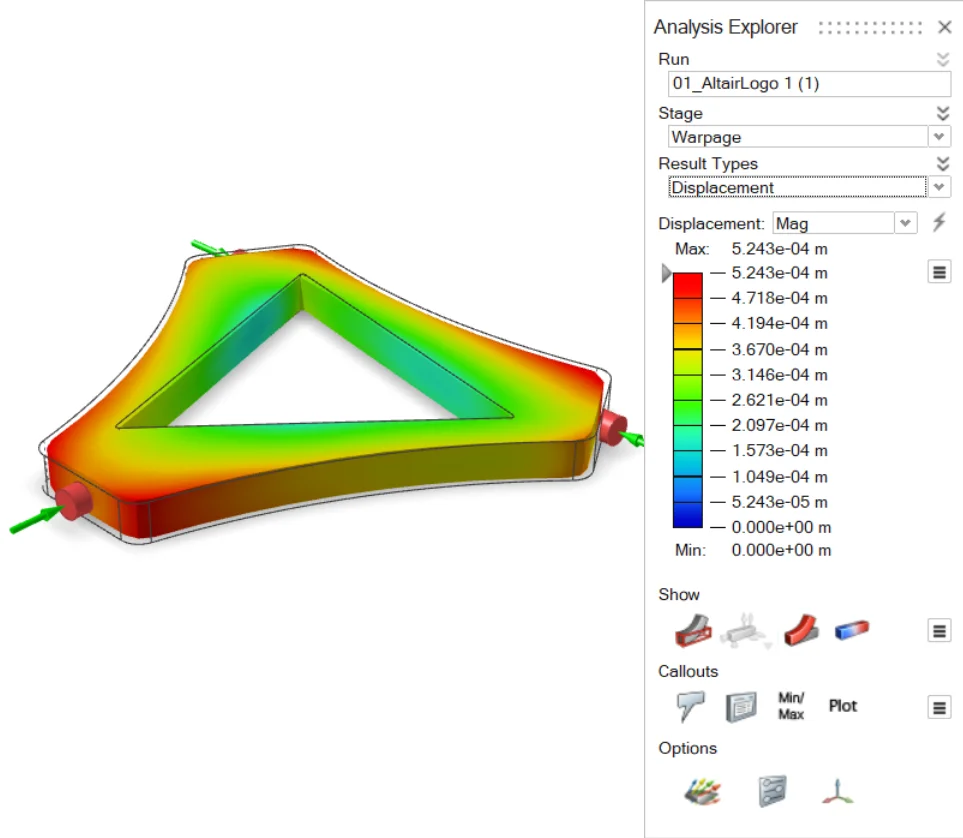
Cooling and warpage
See how the part and the mold cool and how much the part deforms after ejection. From that result you can export a compensated geometry that warps into the design shape.
Feed system and tooling
Build sprues, runners and gates in a few clicks—including hot runners with valve gates—plus cooling lines, vents and inserts, and compare layouts before you cut steel.
Who it is for
- Product design teams that need to know whether an injection-molded plastic part is manufacturable before releasing it.
- Mold shops that propose gate locations, runners and cooling and want to back them up.
- Injection molding plant engineering chasing short shots, sink marks or warpage in production.
How we roll it out
We deliver the license with start-up and an initial training session in Spanish done on one of your own parts, not on a textbook example. The guided workflow is quick to learn; reading the results well and turning them into changes to the part or the mold is what we walk you through.
Take a look at the consulting and the training that go with the software.
Plastic here; metal, in Inspire Cast
Simcenter Inspire Mold is for injection-molded plastic parts. If your plant also casts metal, the tool for high pressure die casting is Simcenter Inspire Cast, our flagship product.
Or go back to the software catalog to see the rest of the Simcenter Inspire family.