Simulation 8 min read
Casting simulation software: what it simulates, how to validate the results and what it costs
By Inytialgo ·
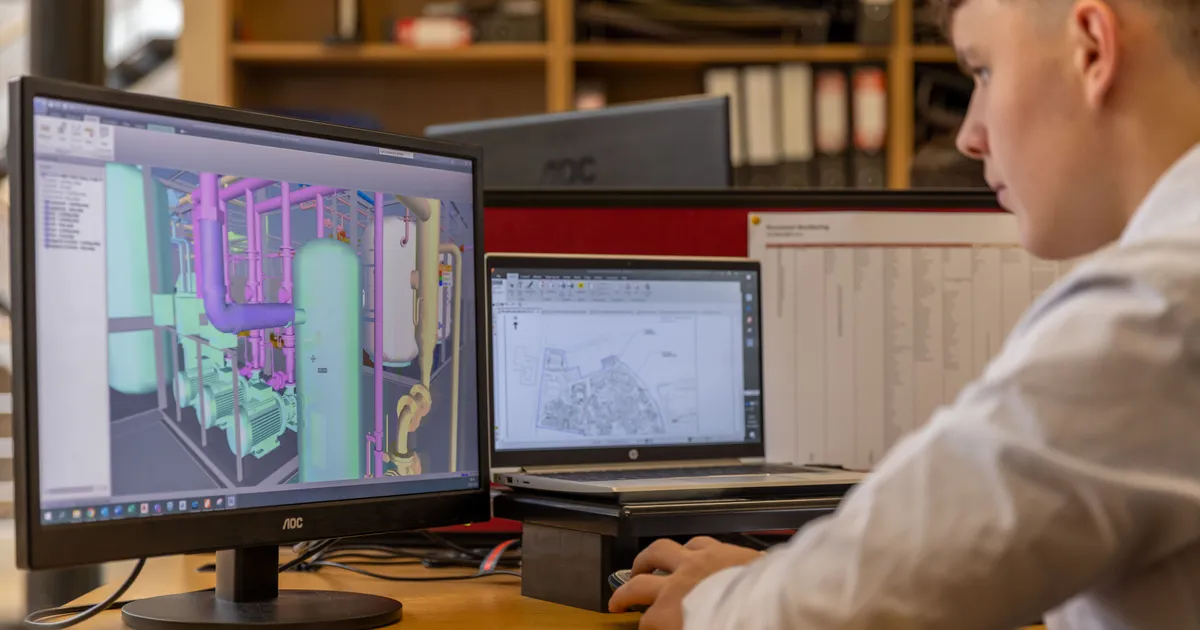
Casting simulation software is a tool that solves the physics of a casting before you cut steel: it fills the cavity with virtual metal, lets it cool and solidify, and tells you where the air gets trapped, where the last liquid sits and which wall will not fill. That is the whole promise, and it is a big one, because in die casting every tryout costs a die modification, a shift of machine time and a few hundred kilos of scrap before anyone learns anything.
The point worth front-loading is this: the software does not make a casting good. It makes the causes of a bad casting visible early, when changing a gate is a CAD edit instead of a welder and a week. What follows is what the tools actually simulate, what they do not, how to check that the results are telling the truth, and what a license really costs.
What does casting simulation software simulate?
Most tools in this category, including the Simcenter Inspire Cast (formerly Altair Inspire Cast) licenses we distribute, cover the same three physical stages of the shot, in this order:
- Filling. The metal front entering through the gates, its velocity, where it splits and rejoins, and where air ahead of it has nowhere to go. This is where cold shuts, flow marks, air entrapment and short shots in thin walls show up on screen.
- Solidification. How heat leaves the part into the die, which regions freeze first and which stay liquid longest. This is where shrinkage porosity and hot spots appear, and where you learn whether the feed path from the biscuit is still open when the thick section needs it.
- Die thermal behavior. The temperature of the tool over repeated cycles: the areas that run hot and erode, the areas that run cold and cause misruns, and the cycle time the die can actually sustain.
Beyond high pressure die casting, the same solver typically carries process templates for low pressure, gravity and permanent mold, tilt pour and investment casting. If your plant runs aluminum, zamak and magnesium on the same floor, one tool covers all three; the alloy and the process change, the physics does not.
What it does not do
A simulation is only as honest as its inputs, so it pays to be clear about the limits before buying one:
- It does not replace tryout. It reduces the number of loops, and it tells you what to look for in the first shots; it does not sign off a die.
- It does not fix the metal. Melt quality, dross and hydrogen are not in the model unless you put them there.
- It cannot compensate for false data. A plunger curve copied from a datasheet instead of the real shot profile produces a beautiful, useless result.
- It will not rescue an impossible design. If the wall is too thin for the alloy and the flow length, the software shows you the short shot; it does not make it disappear.
Anyone who tells you their casting simulation software “eliminates scrap” is selling you a promise the physics cannot keep.
What data the model needs from you
The quality of the answer is set by five inputs, and most of the work of a first project is getting them right:
| Input | What it means in practice | Where it usually goes wrong |
|---|---|---|
| Part and gating geometry | The CAD of the casting with runners, gates, overflows and vents | Simulating the part alone, without the gating system |
| Alloy | Composition and thermophysical data of the actual alloy | Using a generic aluminum instead of the grade you pour |
| Shot profile | The real plunger velocity curve and switch-over point | Taking nominal values from the machine manual |
| Die and cooling | Die material, cooling channel layout, spray and initial temperature | Assuming a uniform die temperature |
| Cycle time | The real cycle, including dwell and spray | Using the target cycle instead of the one the press actually runs |
This is why, in our own consulting work, the diagnosis phase happens on the floor before anyone opens the software: parameters are read from the machine, not assumed. We cover what a cold chamber cell looks like in aluminum die casting: alloys, cold chamber and where it fits and how machine size sets the shot in die casting machine types and tonnage.
How to validate the results against reality
A simulation you have not validated is an opinion with colors. The validation loop we recommend is short and repeatable:
- Simulate the current state first. Before proposing changes, model the die as it runs today, with today’s shot profile. If the software does not reproduce the defect you already see on the part, stop: an input is wrong.
- Match defect location, not just type. The value is in the software putting the porosity in the same corner where your X-ray finds it. A prediction of “some porosity somewhere” proves nothing.
- Compare against a sectioned part. Cut a real casting through the predicted hot spot and look. Shrinkage porosity, cold shuts and trapped air are visible to the naked eye or under a low-power microscope.
- Change one thing at a time. Move a gate, or change the switch-over point, or add a vent; run again; compare. Changing three variables and getting a better result teaches you nothing about which one worked.
- Close the loop at tryout. Run the modified die, record the same measurements and feed the real outcome back into the model. After two or three loops the model earns trust, and from then on it runs ahead of the die shop instead of behind it.
Validation is also where tooling decisions get made: the trade-offs between gate design, die life and cost are the subject of die cast tooling: what you are buying and what it costs, and draft, radii and wall design feed directly into what the filling simulation will show, as explained in draft angle in die casting.
Who should run it: the process engineer, not a specialist
A generation ago casting simulation lived with a dedicated analyst who built meshes and handed reports to the foundry. That model does not fit a plant that changes dies every week. The tools we work with are built so that the process or tooling engineer sets up the case from the CAD, picks the process template and reads the result in the same session; no manual meshing, no separate department.
That has two practical consequences. The person who knows the machine is the one interpreting the colors, which is where most of the insight comes from. And the software gets used on every new die, not only on the ones important enough to justify an analyst’s week. The die casting process explained guide describes the stages the engineer is looking at when the animation plays.
What casting simulation software costs
There is no public price list for the software we distribute, and that is not evasion: the cost depends on the licensing scheme, on how many engineers need access and on whether you are simulating one process or several. What we can tell you is how the cost is structured, so you can compare offers on the same basis:
- License model. Perpetual licenses with annual maintenance, or annual subscriptions. Unit-based schemes such as Altair One pool license units that several tools and users can draw from, which suits a plant that also needs structural analysis of dies and bases with Simcenter Simsolid.
- Number of users and machines. A single engineer at one workstation is a different quote from three sites sharing a pool.
- Process templates. High pressure only, or high pressure plus gravity and low pressure.
- Training and support. Whether onboarding, training in Spanish and application support are included or billed separately. This is often where the real difference between two quotes hides.
Two things we can offer without a quote: a demo of about forty-five minutes on your own part geometry, with no purchase commitment, and a clear answer on which scheme fits your team size before any price is discussed.
When does it pay back?
We do not publish return figures, because every plant’s scrap rate, die cost and machine hour rate are different and any number we gave you would be someone else’s. The arithmetic, however, is yours to run in an afternoon: take the cost of one die modification after tryout (welding, machining, machine downtime, scrapped shots), multiply by the number of dies you launch per year, and compare that with the license. In most aluminum plants launching several dies a year the comparison is not close; in a plant launching one die every two years, consulting-based simulation of that one die is usually the better buy, and we will tell you so.
If you want to see what the software shows on one of your own castings, schedule a demo and bring the CAD and the real shot profile. And if the problem is a die that is already running and scrapping, that is where our simulation software meets our consulting work: diagnosis on the floor first, simulation second, changes third.
- #casting simulation software
- #die casting simulation
- #filling simulation
- #solidification
- #HPDC